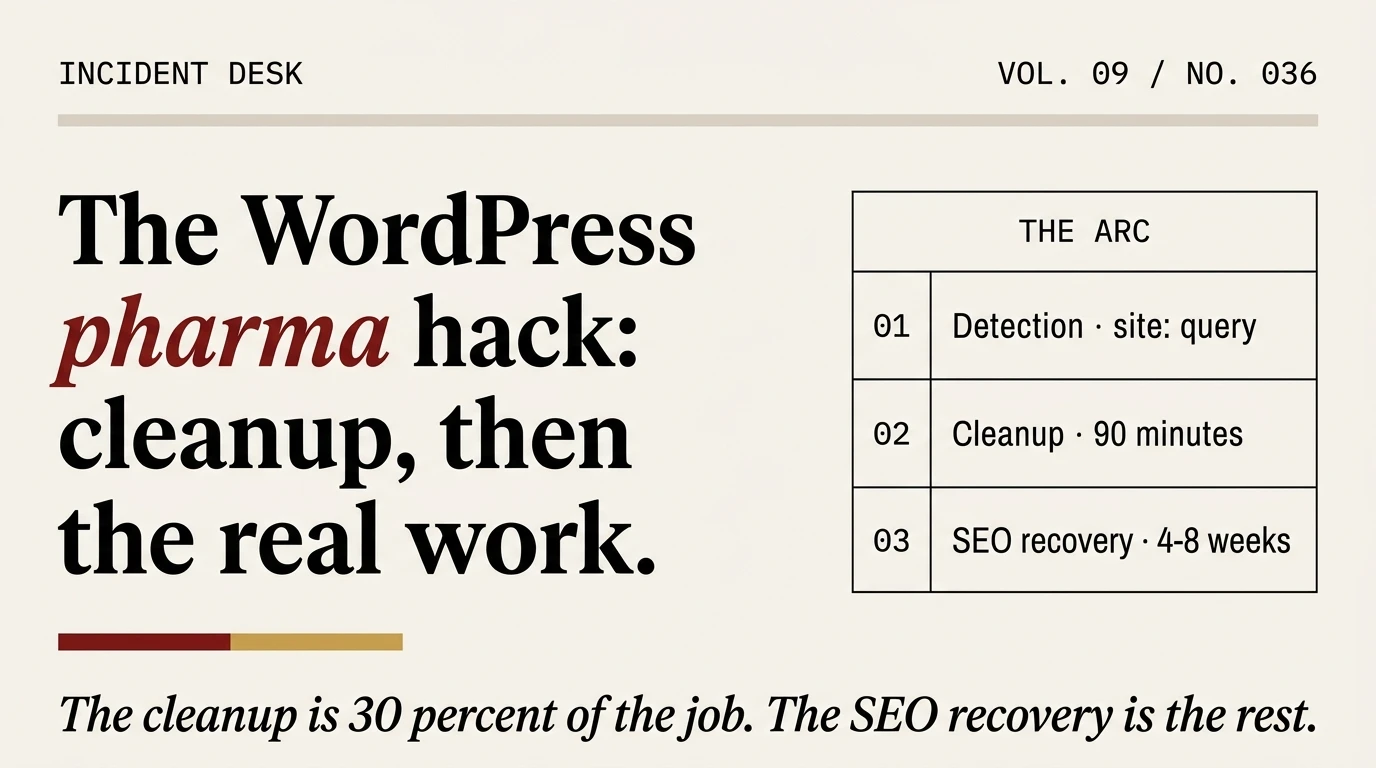
Cleaning the pharma hack is about thirty percent of the job. The other seventy percent is reclaiming your search presence after Google has already indexed a few thousand spam pages under your domain. Most writeups on this topic stop at the cleanup. The cleanup is the easy part.
What you see when you’ve been hit
The pharma hack announces itself through the Google SERP, not through your WordPress admin. You load the site as usual. Nothing looks wrong. You log into wp-admin, the dashboard is clean, posts are where you left them, no suspicious plugins, no unexpected admin users.
Then you search Google for your own domain. And you see things you did not write.
Usually the indicators are one of three types:
- Pharmaceutical keywords (viagra, cialis, xanax, tadalafil) appearing in page titles or snippets under your domain in SERP results.
- Thousands of spam URLs under paths like
/wp-content/uploads/viagra-buy-online.htmlor/?p=12345that return real-looking pharmacy content when Google requests them. - A Search Console security issue flagging “Hacked: Content injection” or similar, which Google’s malware classification documentation breaks down by family.
When you curl the affected page in your browser, it looks fine. When you curl it with a Googlebot user-agent, you get a page about erectile-dysfunction medication. That mismatch is the signature. The hack is specifically designed to hide from the site owner while appearing as spam to the search engine. It is an SEO attack, not a defacement.
Why your site, and why it won’t stop on its own
Pharma spam is a pay-per-sale business. The attackers run networks of compromised sites that redirect buyers to affiliate pharmacies, and they earn a commission on every order. A single high-authority WordPress site, once compromised, can drive thousands of commissionable sales per month. That is why they are relentless about re-infection, and why the same site tends to get hit twice by the same family.
Sucuri’s research team has been tracking pharma hack variants for over a decade. The specific payloads change, the monetization model does not. If you patch the symptom without patching the entry point, the same attacker will be back within weeks.
The cloaking mechanism, in three lines
The pharma hack’s technical signature is user-agent-based cloaking. Every competent writeup mentions this. Almost none of them show the actual code pattern. Here is what you will find in wp-content/uploads/, in a modified theme function, or in a must-use plugin:
if (preg_match('/bot|crawl|spider|slurp|duckduckbot|bingbot|googlebot/i',
               $_SERVER['HTTP_USER_AGENT'])) {
  // Serve injected pharma content to search engines
  include('/tmp/.pharma_payload.php');
  exit;
}
// Otherwise fall through to the normal WordPress request
That is the heart of it. Three lines, usually obfuscated with base64_decode wrapped around an eval(), dropped into a file Google will happily index and you will never notice. Variants use the IP address of the requester (reverse-resolving to googlebot.com), or check $_SERVER['HTTP_REFERER'] for search-engine domains.
The payload file itself is usually loaded from an attacker-controlled server and cached locally. That is why simply deleting the injection does not stop reinfection: the cron event or the backdoor reloads a fresh payload on the next scheduled run.
Confirming the diagnosis before you clean
Rough confirmation in order of effort, lowest to highest:
- Googlebot-as-you. The fastest test.
curl -A "Mozilla/5.0 (compatible; Googlebot/2.1; +http://www.google.com/bot.html)" https://yoursite.com/ | grep -iE "viagra|cialis|casino|payday|loan". If that pipeline prints anything, you have injected content. - Sucuri SiteCheck. Free, public, fetches the site with multiple user-agents. Takes 30 seconds.
- Google Search Console under Security Issues. If Google has flagged the site, the report will usually name the infection family. Pharma hack is typically categorised as “Hacked: Content injection” or “Harmful content”.
- Google Search with site: operator. Run
site:yoursite.com viagra. Thensite:yoursite.com casino. The list of spam URLs that returns is your cleanup queue and your SEO-recovery queue, both at once.
We cannot stress the last one enough. The output of site:yoursite.com <spam keyword> is the single most useful artifact during this incident. Save the URL list. You will come back to it three times during recovery.
Cleanup, briefly
The mechanics of cleaning a pharma hack follow the same procedure as any other WordPress compromise: freeze the site, audit users, diff core files, find the backdoor, patch the entry point, restore. We document the full walkthrough in the procedure we run on client sites and the first-hour decisions in the incident-response playbook. For pharma specifically, the extra steps are:
- Audit
wp_options. Pharma hackers love storing payloads in options. Look for rows with unusually longoption_valuelengths:SELECT option_name, LENGTH(option_value) FROM wp_options ORDER BY LENGTH(option_value) DESC LIMIT 20. - Check
wp_postsfor post_status of “hidden” or “inherit” with injected content. Spam pages are sometimes stored as real posts with non-published statuses that the site owner never sees in the admin. - Audit mu-plugins.
wp-content/mu-plugins/files auto-load and never appear in the admin plugin list. Any file there you did not put there is a problem. - Audit scheduled events.
wp cron event list. Pharma hackers schedule cron jobs that reload the payload after cleanup. - Check
.htaccessrewrite rules. Some variants useRewriteCond %{HTTP_USER_AGENT}to serve spam pages to Googlebot via mod_rewrite rather than PHP. Clean the file from a pristine copy, not by editing out suspicious lines.
Budget 90 minutes for the cleanup on a small site, longer if the infection is weeks old and has layered backdoors. On a revenue-producing site, strongly consider handing this to a cleanup service. MalCare’s emergency cleanup or Sucuri’s incident response will finish faster than you will and issue a “clean” certificate that feeds into the SEO-recovery phase we are about to discuss.
The SEO recovery arc: this is the actual work
Your site is clean. The pharma hack is gone. You load the homepage, you load ten random pages, everything is fine. You run Sucuri SiteCheck again, green. You consider the incident closed.
It is not closed. Google has already indexed the spam URLs.
When the pharma hack was live, it was silently publishing (from Google’s perspective) thousands of pharmacy-themed URLs under your domain. Google crawled them, indexed them, and began ranking them in its SERP. The URLs no longer exist on your server. But they exist in Google’s index. Run site:yoursite.com on Google a week after the cleanup and you will still see them, now returning 404s when anyone clicks.
Three things happen if you leave this alone:
- Your domain’s average content quality, from Google’s perspective, is a blend of your legitimate pages and the thousands of spam 404s. Rankings on your real pages drop.
- Your site stays flagged under Google’s security report until you request a review AND the spam URLs fall out of the index. The review cannot succeed while the index still shows them.
- The URL removal tool, submitted piecemeal, is rate-limited. Thousands of URLs will not clear in an afternoon.
Here is the recovery sequence that actually works.
Week 1: Serve clean 410s, not 404s
When Google re-crawls the spam URLs, a 404 tells it “this page might come back, please check again later.” A 410 Gone tells it “this page is permanently removed, drop it from the index faster.” For pharma-hack recovery you want the 410.
# nginx: match the spam-URL path pattern and return 410
location ~* ^/(viagra|cialis|xanax|casino|payday|loan)-.+\.html$ {
  return 410;
}
# Apache equivalent in .htaccess
<IfModule mod_rewrite.c>
  RewriteEngine On
  RewriteCond %{REQUEST_URI} ^/(viagra|cialis|xanax|casino|payday|loan)-.+\.html$
  RewriteRule ^ - [G]
</IfModule>
Adjust the pattern to match whatever the injected URLs actually look like on your site. You extracted that list when you ran site:yoursite.com <keyword> earlier. The regex above is a starting point, not a universal rule.
Week 1 (same day): Request removal in Google Search Console
Inside Search Console, under Removals, submit a temporary removal for each high-visibility spam URL pattern. This is documented by Google’s URL Removals tool documentation. Temporary removals last six months and are the fastest way to get spam URLs out of the public SERP while the 410s teach Google to deindex them permanently.
You cannot submit ten thousand URLs individually. Search Console accepts prefix-based removal patterns. A prefix like /wp-content/uploads/pharma- will remove every URL under that prefix in one request. Use the list you extracted from the site: query to identify common prefixes and submit one removal per prefix.
Week 1 to 4: Request recrawl of clean URLs
While Google is deindexing the spam, you also want it to re-crawl and re-rank your legitimate pages. In Search Console, the URL Inspection tool lets you request a recrawl of specific URLs. Use this for your homepage, your top ten revenue pages, and any page that was ranking before the incident.
There is a daily quota, but it is generous enough that you can cover the most important pages over the first week. For larger coverage, resubmit your XML sitemap to prompt Google to re-scan the full set.
Week 2: Submit a security review
Under Search Console Security Issues, submit a review request. Typical response time is 48 to 72 hours. The review will check that the site is clean and that the flagged URLs are either deindexed or returning 410. A failed review stacks a cooldown before you can resubmit, so do not submit it on day one when the 410s are still propagating.
Weeks 2 to 8: Watch the index shrink
Run site:yoursite.com <spam keyword> once a week. The result count should drop from thousands to hundreds to single digits. On a well-cleaned site the index typically returns to clean within four to eight weeks. Sites that are revenue-dependent on organic traffic often plateau in the 6th to 8th week after the spam URLs are gone but before Google has fully rebalanced the domain’s quality signal. Rankings on legitimate pages recover on a similar schedule.
There is no acceleration option here. Google reindexes at its own pace, and the 410+removal+review combo is already the fastest available path. Submitting the same pages fifty times in Search Console does not help and may hurt.
Month 3 onward: Monitor for re-infection
Sixty days is the canonical reinfection window. If you patched the entry point cleanly, you will be fine. If you did not, the same site:yoursite.com <pharma keyword> query will start returning fresh spam URLs within two months. Set a monthly reminder to run it.
Why this keeps happening, and how to make the next one cheaper
The pharma hack thrives on three operator mistakes, in roughly equal proportion. Weak admin passwords that were never rotated. Outdated plugins with unpatched file-upload vulnerabilities. And hosting environments where wp-content/uploads/ is writable by PHP and also directly executable as PHP, which should never be true but frequently is.
The countermeasures are unglamorous:
- Force 2FA on every admin account. Rotate passwords on cleanup and again quarterly.
- Run a WAF in front of WordPress. Wordfence, Patchstack, Sucuri, or Cloudflare at the DNS level. Pharma hack entry points are almost always known vulnerabilities that a WAF signatures before WordPress sees them.
- Block PHP execution under
wp-content/uploads/. Drop this in the server config (not .htaccess, which is itself writable):location ~ ^/wp-content/uploads/.*\.php$ { deny all; }. The WordPress hardening guide documents this explicitly. - Follow the 15-minute security checklist on every site you manage, not only after an incident.
- Deploy preventive monitoring. We cover the stack in the four-layer protection model.
The pharma hack is treatable. What makes it expensive is not the cleanup, it is the recovery. Treat the recovery as the main work, and the next one, when it happens, will be thirty minutes instead of six weeks.
Frequently asked
How long does it take to recover rankings after a pharma hack?
Four to eight weeks in most cases, assuming the cleanup was thorough and the 410 + URL removal workflow was applied within a few days of cleanup. Revenue-dependent sites sometimes see partial ranking recovery within two weeks for top pages and full recovery by week eight.
Can I skip the 410 and just 404 the spam URLs?
You can, but it will take two to three times longer for Google to deindex them. 404 signals “might come back”, 410 signals “gone permanently”. For this recovery scenario you want the permanent signal.
Will Google penalise my domain after a pharma hack?
Google does not impose a formal penalty for being compromised. But the domain’s average quality signal drops while the spam URLs are in the index, which functions like a penalty for rankings. The drop reverses as the spam is removed and the clean pages are recrawled.
My Search Console does not show a Security Issues warning but I see pharma keywords in site: results. What’s happening?
Google Search Console’s Security Issues panel is not exhaustive. Content-injection pharma hacks that serve cloaked content to Googlebot can be indexed by Google without triggering a security issue, especially early in the campaign. Trust the site: query result more than the Security Issues panel for initial detection.
Is the pharma hack the same as the Japanese keyword hack?
Same attack pattern, different payload. Japanese keyword hack injects Japanese-character URLs and titles; pharma hack injects pharmaceutical keywords. Same detection approach, same cleanup procedure, same SEO recovery arc. Our triage playbook covers both.
If I restore from backup, do I still need to do the SEO recovery?
Usually yes. Restoring from a clean backup removes the malware but does not retroactively remove the spam URLs from Google’s index. The 410 + Search Console removal flow still applies. Restoring from backup saves cleanup time, not recovery time.
