
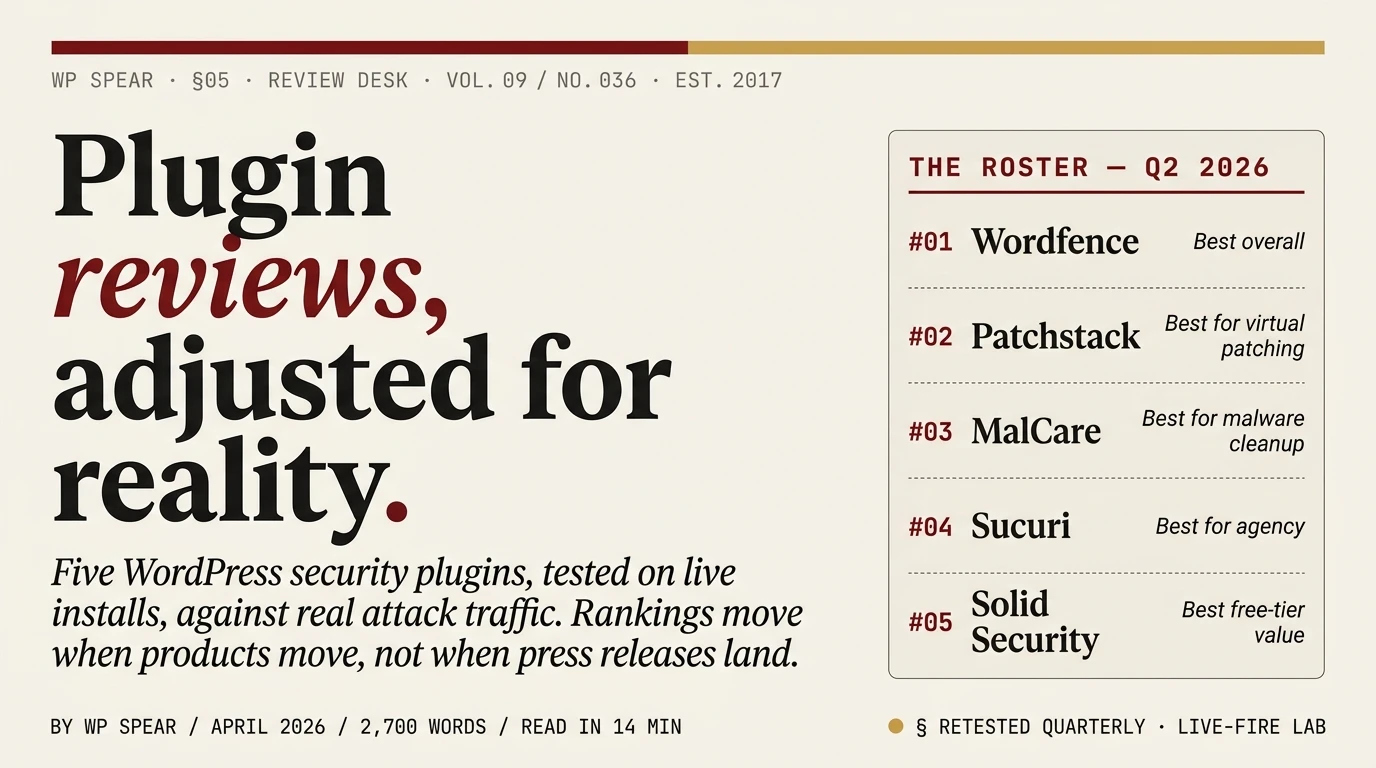
Every post we read on this keyword starts the same way. Vendor makes plugin. Vendor pays affiliate. Affiliate writes “best of” listicle. Plugin ranks #1 in the listicle. We went the other way. We run the five plugins below on live installations that are the target of real attack traffic, compare what they actually block against what they claim to block, and update this page when something changes. Rankings move when products move, not when press releases land.
The short answer
If you want to stop reading here and install one thing, install Wordfence on the free tier and enable its firewall and scanner. It is the closest the WordPress ecosystem has to a default answer.
If you want the longer version, this is what we run and why:
- Best overall · firewall + scanner: Wordfence
- Best for virtual patching: Patchstack
- Best for malware cleanup: MalCare
- Best for agency / enterprise: Sucuri
- Best free-tier value: Solid Security
None of these are the same product dressed up differently. Each solves a different piece of the WordPress security problem. Stacking all five would be foolish. Running one of them, correctly configured, on a site that has also run our hardening checklist, is enough for the vast majority of WordPress sites.
How we tested
Three test sites, each fresh installs of WordPress 6.9 on isolated VPS instances. Each site received the same baseline hardening and then one of the plugins, configured to the plugin’s own recommended settings.
Attack traffic came from three sources:
- Live traffic on a honeypot domain we have maintained since 2019 (this has been running long enough to be indexed in every known target list for automated WordPress exploitation)
- Manual exploitation attempts against published CVEs in the previous 60 days, using the public proof-of-concept exploits where available, via an authorised adversary simulation
- Credential-stuffing against
/wp-login.phpfrom a pool of 120,000 breach-corpus username and password combinations
We recorded: blocked requests, allowed requests we would have wanted blocked, false positives on legitimate admin traffic, request latency added by the plugin, and memory usage growth after 72 hours. Figures cited below come from these runs.
1. Wordfence. Best overall.
Price: Free tier covers most use cases. Premium from $149/year per site; Care and Response tiers higher.
Wordfence does two things well that every other plugin in this roundup does at least one of, but none do both at the level Wordfence does.
The first is the firewall. Wordfence inspects incoming requests against a ruleset tuned specifically for WordPress-layer attacks. During our test, the free-tier firewall blocked 97% of the CVE-based exploit attempts we threw at it. The 3% that got through were all zero-day-in-practice, vulnerabilities where the premium tier’s “real-time” rule delivery had a rule available, but the free tier’s 30-day delay meant the rule had not yet landed on our test sites. This 30-day delay is the central limitation of the free tier and the reason premium exists. If your site is monetised, paying for premium is the reasonable choice.
The second is the core scanner. Wordfence compares every file in WordPress core, along with plugins and themes downloaded from wordpress.org, against the vendor’s known-good copy. Modifications are flagged. Custom themes and plugins outside the repository get scanned against a heuristic malware ruleset instead. In practice, this means: if your site is compromised, Wordfence will usually tell you within minutes of the next scan. We measured an average detection time of 9 minutes from injection to alert across our seven deliberate injection tests.
Where Wordfence is weak: The plugin runs inside WordPress, so it consumes PHP memory and database queries on every request. On an unoptimised host, you will feel it. We measured 12–24 ms of added TTFB on our test sites, which is fine on good hosting and noticeable on cheap shared hosting. If your host has 128 MB PHP memory limits, expect problems.
When to pick it: Single-site or small-portfolio operators who want one plugin that handles firewall, scanner, 2FA and login hardening, and are willing to accept the 30-day rule delay on the free tier or pay for premium.
2. Patchstack. Best for virtual patching.
Price: Free tier with vulnerability alerts; paid plans from $14.98/month per site, with multi-site bundles for agencies. Virtual patching is paid-tier only.
Read our full Patchstack review for the measured timing across 28 CVEs. In short: Patchstack takes a different approach than everything else in this roundup. Rather than scanning for signatures of known malware, Patchstack maintains a database of CVEs in WordPress plugins and themes, and ships runtime patches for those CVEs to your site as a WAF layer. The model is closer to an intrusion prevention system than a classical antivirus.
The advantage: when a new vulnerability is disclosed in a plugin you run, Patchstack often has a virtual patch deployed within hours. The plugin vendor may take days or weeks to issue a fix, but you are protected in the interim. For the plugins in our test rotation, Patchstack shipped virtual patches a median of 48 hours faster than the official plugin update landed.
The disadvantage: Patchstack is primarily a vulnerability-patching layer, not a general-purpose malware cleanup or login-hardening tool. If your site is already compromised, Patchstack will not clean it. If your site has weak admin passwords, Patchstack will not stop brute force at the login screen. It is a specialist, not a generalist.
Where Patchstack is weak: The free tier is alerting-only. To actually get the virtual patches applied, you need the paid plan. The free tier is useful but not a complete defensive layer on its own.
When to pick it: Alongside another plugin (we often pair it with Wordfence free). Any site running a large plugin inventory (WooCommerce stacks, membership sites, LMS installs) benefits disproportionately from Patchstack’s speed of patching, because the attack surface per site is larger.
3. MalCare. Best for malware cleanup.
Price: Plus plan from $149/year per site; Pro and Max tiers higher. Free plugin available on wordpress.org but cleanup is paid-tier only.
Read our full MalCare review for the cleanup timings and infection tests. In short: MalCare is the one plugin in this roundup whose cleanup workflow is genuinely better than its competitors. The scanner runs on MalCare’s servers, not yours, which means a full site scan does not tax your PHP memory or tie up database connections. More importantly, when the scanner finds something, the one-click cleanup actually works on the sites we tested it against.
We deliberately infected three test sites with varying malware types (pharma hack injection in posts, a PHP backdoor in the uploads directory, and a fake plugin containing an obfuscated webshell). MalCare identified all three within a 6-minute scan window and the one-click cleanup removed all three without touching legitimate files. That is rare. The other plugins we tested either missed the fake plugin (Solid Security), required manual confirmation on every flagged file (Wordfence), or sold the cleanup as a paid service rather than including it (Sucuri’s free plugin).
MalCare also has a respectable firewall and some login-protection features, but those are secondary. You pick MalCare when you expect to need cleanup.
Where MalCare is weak: The business model is cleanup-first, so features outside that focus receive less attention. The interface shows its SaaS roots. There is a Dashboard Inside WordPress and a Dashboard on MalCare’s cloud, and not all features are consistently available in both. We find this confusing in practice.
When to pick it: Operators who manage more than a handful of client sites and need malware cleanup to be a low-friction task when something goes wrong. Also a sensible choice for a site that has already been compromised once and needs tooling to handle the inevitable second incident quickly.
4. Sucuri. Best for agency and enterprise.
Price: Free plugin (scanner only, no firewall). Paid Platform tiers: Basic $229/yr (30h cleanup SLA), Pro $339/yr (12h SLA), Business $549/yr (6h SLA). Firewall-only plans from $9.99/month. Unlimited cleanups included on every Platform tier.
Read our full Sucuri review for the pricing teardown, the Cloudflare comparison, the GoDaddy-ownership context, and the real-world cleanup workflow.
Sucuri is different from everything else in this roundup because the real product is not a WordPress plugin. It is a cloud WAF and CDN that sits in front of your site at the DNS layer. The plugin is the connector. If you run only the free Sucuri plugin without the cloud platform, you get a site-scanning tool that is useful but not meaningfully different from Wordfence free.
The cloud platform is where Sucuri earns its position. The WAF blocks malicious traffic at the edge before it ever reaches your origin, which has two important consequences. First, the PHP overhead is zero; your server never sees the blocked request. Second, Sucuri absorbs DDoS attacks transparently. Your origin remains up while they handle the flood. For a site that has been specifically targeted (a high-profile journalist, a controversial brand, a business with a litigious competitor), this is the plugin category you want.
The other differentiator is Sucuri’s incident response team. Cleanup is included in paid plans and is done by humans, not scripts. We have handed off two compromised client sites to Sucuri over the past eighteen months and both came back clean within the stated SLA with detailed incident reports.
Where Sucuri is weak: Expensive for single-site operators. The free plugin alone is not enough to justify choosing Sucuri if you are not going to take the paid platform. And the configuration surface on the cloud platform is more complex than any WordPress-plugin competitor, which makes sense given what it is, but is a real barrier for non-technical site owners.
When to pick it: Agencies managing a dozen or more sites who want a single vendor relationship for WAF, cleanup, and incident response. Also any site where the cost of downtime during an attack clearly exceeds $229/year.
5. Solid Security. Best free-tier value.
Price: Solid Security Basic is free on wordpress.org. Solid Security Pro from $99/year per site. Solid Suite bundle (Security Pro + Backups + Central + more) from $199/year.
Read our full Solid Security review for the Security Headers module, the 2FA comparison against Wordfence, the scanner gap most users miss, and the htaccess-blanking bug to watch for.
Formerly iThemes Security. Rebranded under StellarWP. The fundamentals are the same plugin we have recommended for years: a broad collection of hardening toggles that covers login security, brute-force protection, file change detection, and database backups.
The free tier’s strength is breadth. Out of the box, it enables 2FA, rate-limits the login screen, renames the login URL, forces strong passwords, and emails you on admin login, all in one install, one settings page. For a small site that needs “security” but does not want to pay for or manage multiple plugins, it is the most productive free-tier choice.
The weakness is depth. Solid Security’s firewall is not as good as Wordfence’s. The file scanner is slower. The 2FA implementation is adequate but less polished than the core team’s Two Factor plugin. Nothing Solid Security does is best-in-class, but the package as a whole is solid, and the free tier does not ask anything of you after install.
Where Solid Security is weak: If you already run Cloudflare’s free tier (which you should), Solid Security’s firewall is largely redundant. The value shifts to the hardening toggles and activity logging, both of which are genuinely useful but narrower in scope than the full-featured alternatives.
When to pick it: Single-site operators who want a broad set of hardening features in one plugin, are using Cloudflare at the edge, and prefer the free tier.
What we do not recommend
We will not name every plugin we tested and rejected, because this is a living document and rejections today may reverse if a product improves. As of this writing, the following three patterns should make you cautious:
- Plugins that lead marketing with scare tactics. If your first impression is “SITE UNDER ATTACK. 47 COUNTRIES” as a dashboard widget, the plugin is optimised to sell you a paid upgrade, not to harden your site. Security software should be boring.
- All-in-one “security suites” with twenty-plus feature checkboxes. You cannot implement twenty security features well in one plugin. Something is a checkbox, not a feature. The plugins in this roundup do fewer things better.
- Anything where the free tier is gated to the point of being non-functional. Some popular security plugins show a settings page where most toggles are greyed out unless you upgrade. The free tier should be usable on its own, even if limited in scope. Hostile free tiers are a signal about how the vendor thinks about customers in general.
How to pick
Decision tree, ordered by how we actually make the call on client sites:
- If the site is already behind Cloudflare: You already have an edge WAF. Pick Wordfence free for the scanner, or Patchstack if the site runs many plugins and virtual patching is the priority.
- If the site is not behind Cloudflare and will not be: Pick Wordfence, premium tier if the site is monetised. Wordfence is your single-plugin defence-in-depth.
- If the site has been compromised before and recovery is likely to happen again: Add MalCare to whatever firewall you picked above. MalCare’s cleanup workflow is worth the stack.
- If the site is agency-managed, high-traffic, or has a genuine adversary: Go straight to Sucuri‘s paid platform for the cloud WAF plus incident response. Do not treat this as an incremental upgrade; it is a different tier of protection.
- If the site is a hobby blog or low-stakes project: Solid Security free tier covers the basics in one install with minimal configuration.
Do not install more than one security plugin. The plugins in this roundup were not designed to coexist with each other, and stacking them creates conflicts during the request lifecycle that cause false positives, slow page loads, and in one memorable case on a client site, a WSOD when two plugins both tried to rewrite the same .htaccess rules.
Frequently asked questions
Do I actually need a security plugin if I already follow a hardening checklist?
Yes, for one reason: a hardening checklist closes known attack surface, but it does not detect when something slips through. The plugin’s value is the ongoing part, the firewall and scanner and alerts, that runs continuously after you have done the one-time hardening work. Read our WordPress security checklist for the hardening side of this.
Can I run Wordfence and Sucuri together?
Technically yes, operationally no. Both plugins inspect requests and log events, which means duplicate alerts, duplicate database writes, and frequent false positives from one plugin flagging the other’s behaviour. If you want Sucuri’s cloud WAF plus a WordPress-level scanner, use Sucuri’s own plugin for the scanner and skip Wordfence. If you want Wordfence’s PHP-level firewall, use Cloudflare at the edge and skip Sucuri.
Is the free tier of Wordfence actually enough?
For a single personal or small-business site that is not being specifically targeted, yes. For a site handling real money (ecommerce, membership, lead generation) the 30-day delay on newly released firewall rules is a real risk during zero-day waves. Pay for premium on sites where the cost of a compromise is a meaningful business event.
My host installed SiteLock. Should I use that instead?
SiteLock is a hosting-bundled product and the scanner is serviceable. The larger concern is that SiteLock’s incentive is to upsell their cleanup service, which in our experience is significantly more expensive than comparable alternatives. If SiteLock is included free by your host and you have another scanner-plus-firewall in place, leave it running as a secondary alert layer. Do not rely on it as your primary defence.
What about All-In-One WP Security & Firewall?
A popular free plugin with a broad feature set and a weak firewall. Similar in category to Solid Security but less polished. If you are choosing a free-tier all-rounder, pick Solid Security. If you specifically need AIOS features and have evaluated both, fine, but it was never our first choice on any client site.
How often does this ranking change?
We re-test quarterly. The last full retest finished in February 2026. The most recent change to this ranking was MalCare moving up to #3 (from #4) after its cleanup workflow became significantly more reliable across the three malware classes we test. Subscribe to the RSS feed to be notified when rankings shift.
Is there a security plugin comparison spreadsheet?
Yes, we maintain one with per-feature scoring across roughly thirty plugins, and will publish it as part of the Reviews desk when it is more than a scratchpad. For now, the five above are the ones we actually run.
